Events and News
Published on 16/12/2025



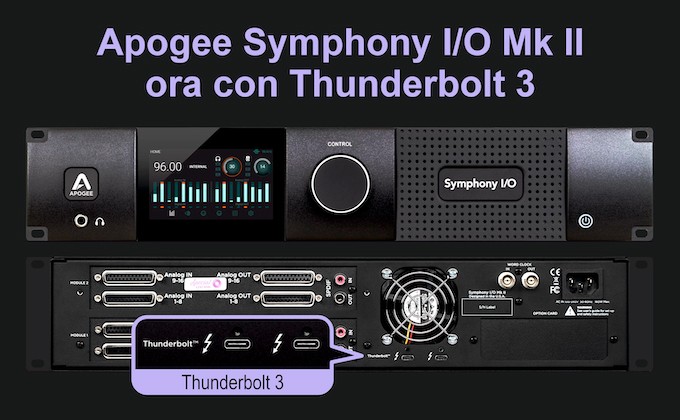
Thunderbolt 2 is still viable for professional audio, but cable availability is increasingly difficult and the use of USB-C adapters can create space and reliability issues. Thunderbolt 3 is the modern answer: easier-to-find cables, direct compatibility with current Macs, and the ability to use optical connections for large studios.
The move to Thunderbolt 3 in no way changes the audio performance of the Symphony MkII:
| Feature | Thunderbolt 3 | Thunderbolt 4 | Thunderbolt 5 |
|---|---|---|---|
| Maximum speed | 40 Gbps | 40 Gbps | 80 Gbps (up to 120 bursts) |
| Maximum length (passive) | 0,8 m | 2 m | 2 m+ (optical/active) |
| Connector type | USB-C | USB-C | USB-C |
| Backward compatibility | N/A | Yes (with TB3) | Yes (with TB3 and TB4) |
| Optical cable support | Limited | Available | In development |
Use only Thunderbolt certified cables:
Avoid USB-C only cables: not suitable for professional audio via Thunderbolt.
Although they share a connector, Thunderbolt and USB-C are not the same thing:
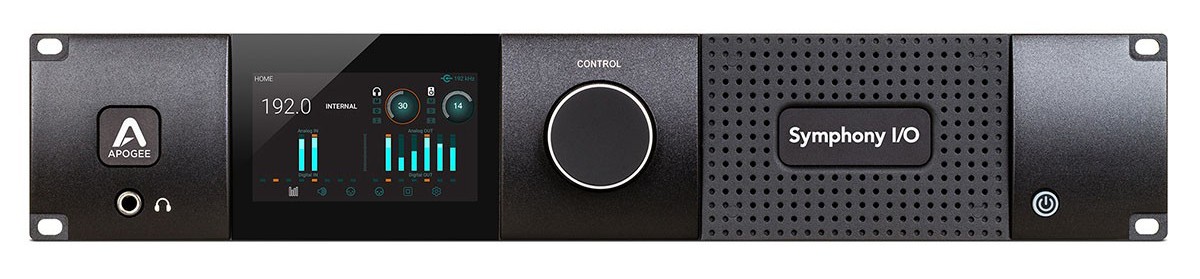
You can upgrade, but the process is complex and requires disassembly of the back panel, power connector, fan, and word clock module. You also need a replacement of the back panel. Incorrect maneuvering can damage the unit and void the warranty.
Recommend:
If your current setup works perfectly, nothing needs to be done. But if you want a more streamlined connection or are planning a new studio setup, this is your chance.
Technical specifications.
👉 Want to upgrade your studio with a state-of-the-art Symphony MkII?
Purchase it now on our website or contact us for a personalized consultation.
Related Products
Join us today and get 5% off your next order!

Empty cart
