Events and News

Apogee News: Symphony MkII Now Features Thunderbolt 3

Published on 16/12/2025

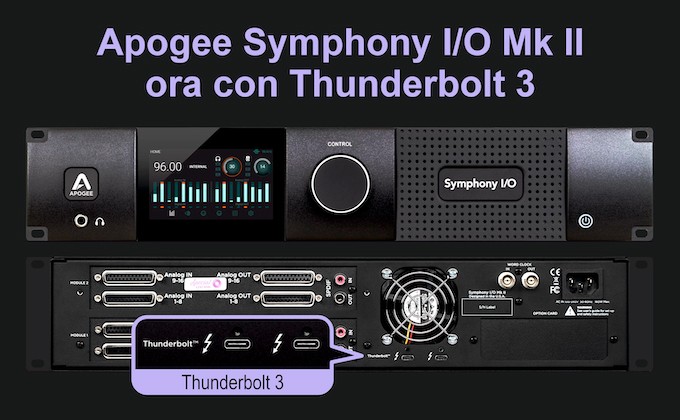
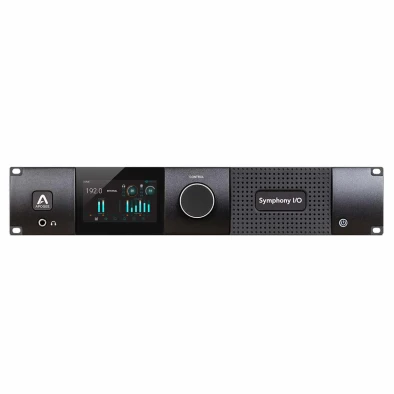
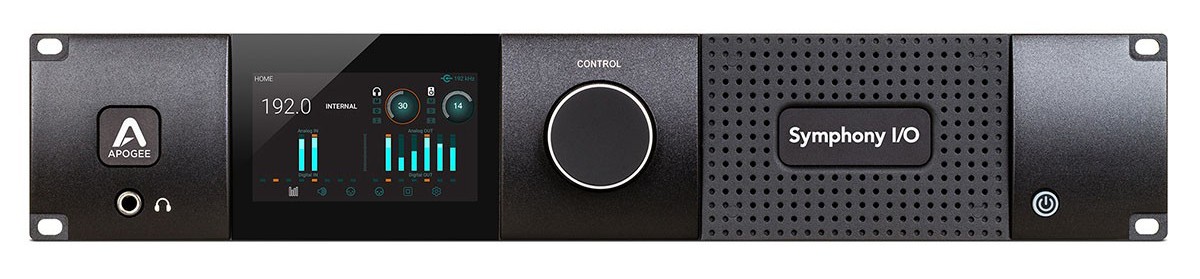
Apogee Symphony MkII now with integrated Thunderbolt 3

  • New Thunderbolt 3 connection integrated as standard
  • Compatible with modern Macs (TB3, TB4, TB5) without adapters
  • Thunderbolt optical cables supported up to 50 meters
  • No changes to drivers or audio quality
  • Reference Apogee modularity and conversion

Why is Apogee moving to Thunderbolt 3?

Thunderbolt 2 is still viable for professional audio, but cable availability is increasingly difficult and the use of USB-C adapters can create space and reliability issues. Thunderbolt 3 is the modern answer: easier-to-find cables, direct compatibility with current Macs, and the ability to use optical connections for large studios.

New connector, same performance

The move to Thunderbolt 3 in no way changes the audio performance of the Symphony MkII:

  • Same ultra-low latency
  • Same drivers and software
  • Same flexibility in I/O modules

Thunderbolt 3 vs. Thunderbolt 4 vs. Thunderbolt 5

Feature Thunderbolt 3 Thunderbolt 4 Thunderbolt 5
Maximum speed 40 Gbps 40 Gbps 80 Gbps (up to 120 bursts)
Maximum length (passive) 0,8 m 2 m 2 m+ (optical/active)
Connector type USB-C USB-C USB-C
Backward compatibility N/A Yes (with TB3) Yes (with TB3 and TB4)
Optical cable support Limited Available In development

Which cable to use for your Symphony MkII?

Use only Thunderbolt certified cables:

  • Short cables (≤ 2m): Thunderbolt 3 or 4
  • Long cables (≥ 10m): optical Thunderbolt TB3/TB4 (e.g., Corning, OWC, CalDigit)
  • TB5 cables: compatible, run at TB3 speeds

Avoid USB-C only cables: not suitable for professional audio via Thunderbolt.

Thunderbolt and USB-C: beware of the differences

Although they share a connector, Thunderbolt and USB-C are not the same thing:
  • USB-C cables do not support the speeds and latency needed for professional audio
  • Always check for the ⚡ icon on the cable or packaging
  • Prefer cables from reputable brands such as OWC, Corning, CalDigit, Belkin

Do you have a Symphony MkII with Thunderbolt 2?

You can upgrade, but the process is complex and requires disassembly of the back panel, power connector, fan, and word clock module. You also need a replacement of the back panel. Incorrect maneuvering can damage the unit and void the warranty.

Recommend:

  • Contact Apogee for factory upgrade
  • Purchase a new unit already with Thunderbolt 3 built in.

If your current setup works perfectly, nothing needs to be done. But if you want a more streamlined connection or are planning a new studio setup, this is your chance.

FAQ - Frequently Asked Questions

  • Does Thunderbolt 3 improve audio? No, it's just a simplification in the connection.
  • Can I use TB4 or TB5 cables? Yes, but they run at TB3 speeds.
  • Can I upgrade the TB3 module myself? Only if you have technical experience. If not, it is best to avoid it.
  • Are optical cables supported? Yes, up to 50 meters, ideal for studios with separate rooms.

Technical specifications.

  • Connection: built-in Thunderbolt 3
  • Compatibility: Macs with Thunderbolt 3/4/5
  • Drivers: same as TB2 version
  • Optical cable support: up to 50m (TB3/TB4)
  • Modularity: customizable I/O configurations
  • Latency: roundtrip up to 1.3ms

👉 Want to upgrade your studio with a state-of-the-art Symphony MkII?
Purchase it now on our website or contact us for a personalized consultation.

Stay up to date!

Join us today and get 5% off your next order!

Your cart

Empty cart

Countries and Languages