Professional DAW for production, performance, and sound design with a modular grid - Windows, Mac, Linux

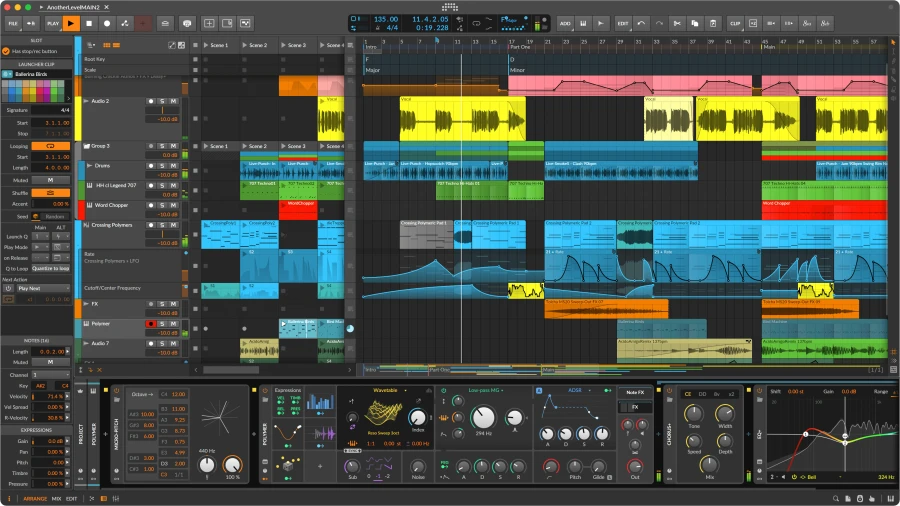
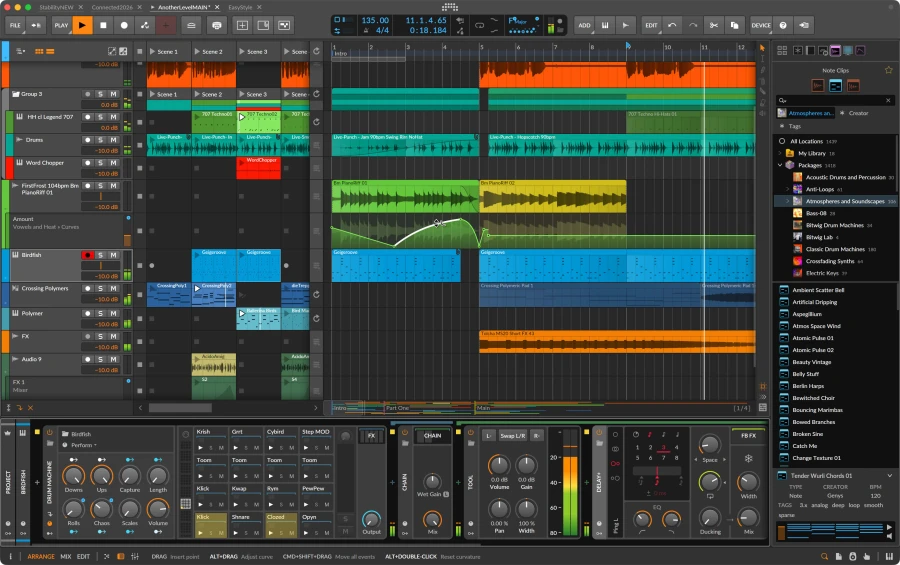
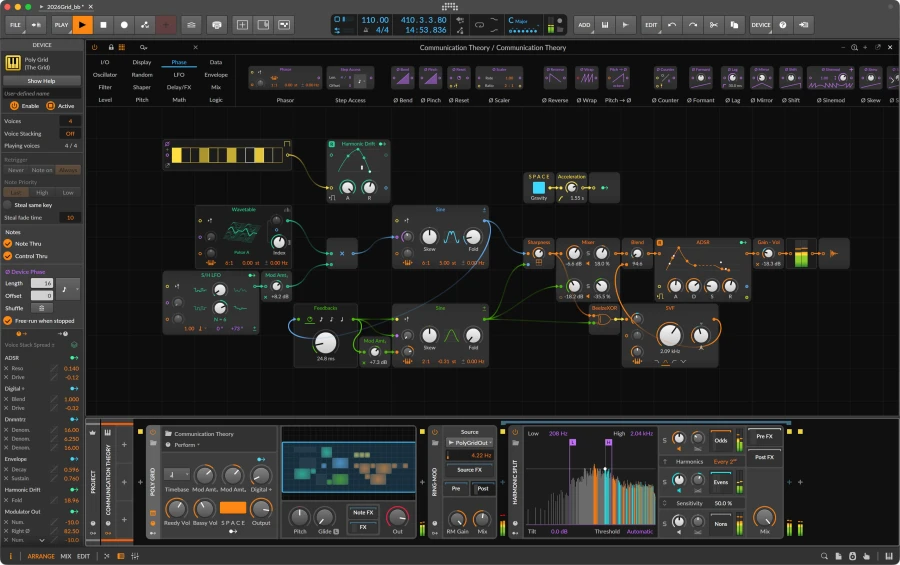
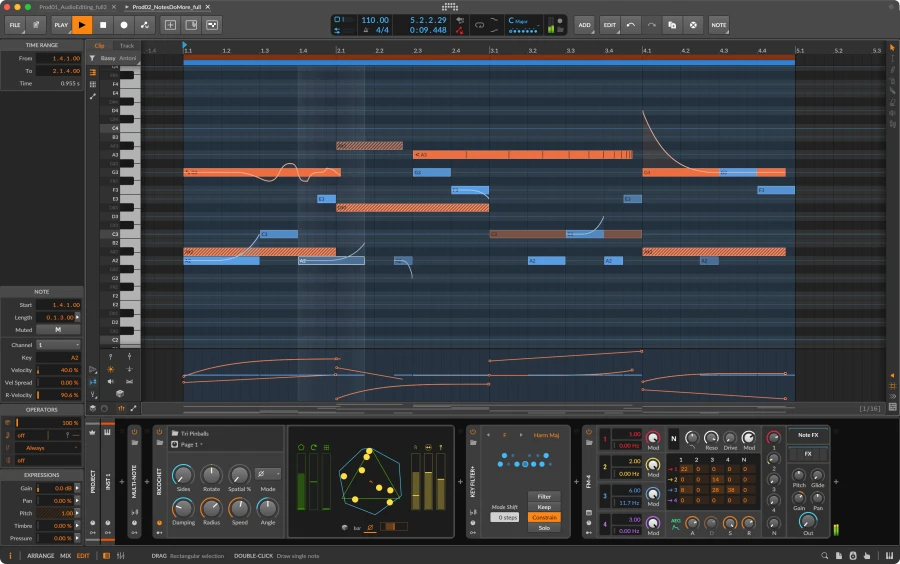
Bitwig Studio is the DAW for those who want to design their own sounds, build instruments, and create music without limits—in the studio or on stage. With version 6, Bitwig refines and expands the core features you use every day: the interface is more polished and better tailored to your needs, automation editing takes a leap forward, and the new global project key guides note entry. All while retaining what makes Bitwig unique: a deep modulation system, The Grid for modular patching, and a hybrid approach combining linear arrangement and the Clip Launcher.
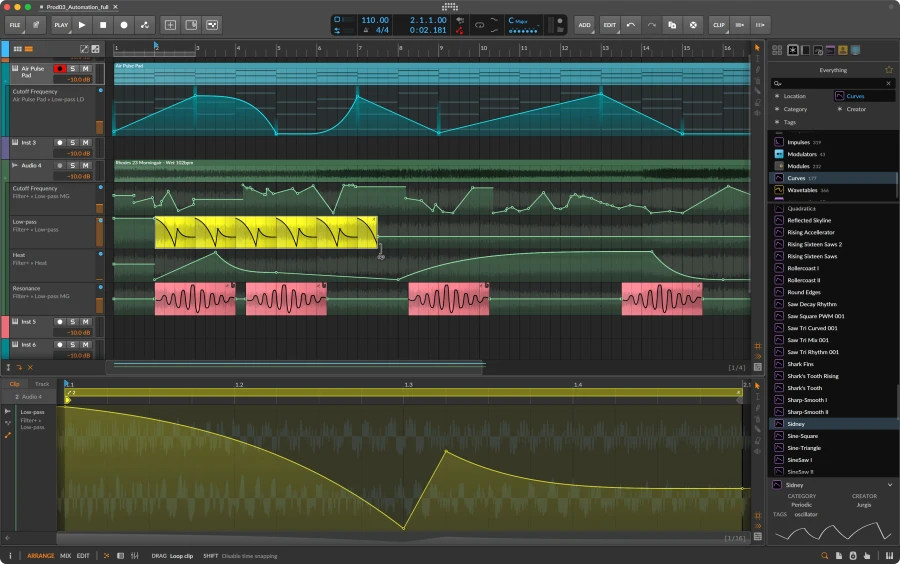
Bitwig Studio 6 introduces a major update to automation editing and two new ways to access automation curves. Pressing the A key activates Automation Mode, which overlays each track with the most recently touched parameter or the lane of your choice. Alternatively, you can work from the Detail Editor Panel, which now displays all of a track’s automation, keeping the Arranger clean or allowing you to quickly compare multiple tracks.
Clicking on the line creates a new point, while clicking near a point lets you drag the segment up or down, with the affected portions of the curve highlighted even before you make a change. You can drag a point past others to overwrite them or move a time interval as a block without altering what’s around it. The new “spread” and “hold” behaviors add, respectively, a random variation within a range and a constant value up to the next point, while the curvature of the segments is adjusted in the Inspector. When drawing freehand with the Pencil, the new algorithm transforms your strokes into clean curves; with the Spray Can, you can paint a series of “hold” points onto the current grid.
In Bitwig Studio 6, automation becomes just as important as audio and notes: you can work with automation within clips, with independent loops and start points, content scrolling, time-stretching, and clip aliases. When you edit the reference note or audio clip, the linked automation clips update seamlessly until you edit them to create variations. You can save your favorite clips to the library and drag an automation clip onto a device to load its shape into an MSEG Segments, alongside BWCURVE files in the browser.
In addition to tempo and meter, the project now features a global key. In the Piano Roll, you can view the scale, and with “Snap to Key” (K key), you can ensure all your editing gestures are musically correct; with “Quantize to Key,” you can adjust existing notes and clips to the selected scale. The Arpeggiator and five other Note FX offer the “Use Global Key” option and follow every key change in real time, even when you automate or modulate it.
The editing tools are grouped in a palette on the right-hand side; each editor has its own grid settings, and the track headers display additional controls when space allows. With Arranger Auto Zoom, the selected track zooms in without moving the rest; the Clip Launcher displays the position and count of loops; and the Arranger lets you see the grid through the clips. Gain, pressure, and other expressions can be adjusted directly on notes or audio—even in the Drum/Hybrid Editor—and layer editing lets you work on multiple clips at once, including the ability to select a scene or cue marker to view all related material.
The Spray Can creates sequences of notes on the grid, Audition lets you preview a track or clip on the fly, and Step Input speeds up note entry, even with multiple inputs. For generative patching, four new Grid modules are available: Scale, Scale Steps, Root Key, and Pitch Class. A new safety feature also creates a permanent backup of projects from previous versions when you open them in Bitwig Studio 6.
The Grid is Bitwig’s modular environment for building audio and MIDI instruments and effects from scratch by patching modules together like in a modular system. Together with the 42 modulators—which can control any parameter of devices and plug-ins—it offers you a level of sound design freedom that goes beyond a traditional DAW. The 154 included instruments and effects—such as Phase-4, Convolution, EQ+, Note Repeats, and the Spectral Suite—along with the library of sounds, loops, and presets round out the package.
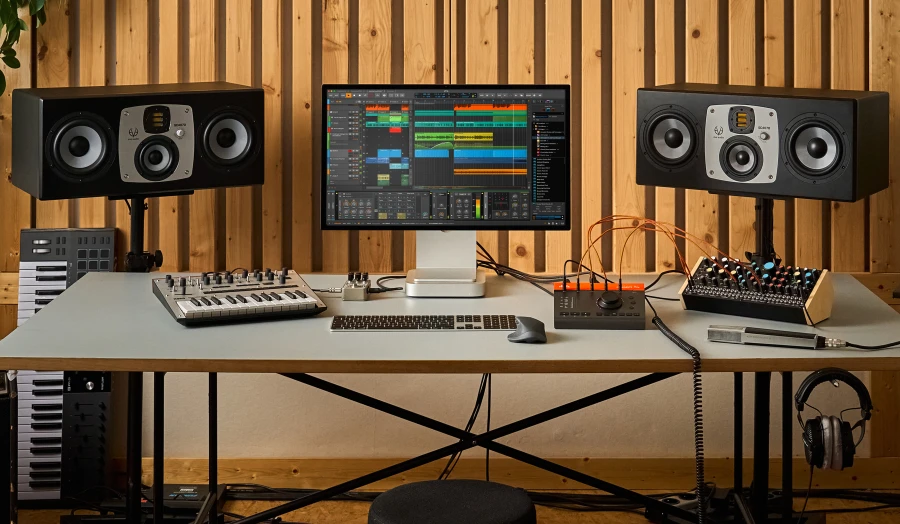
Bitwig Studio communicates natively with hardware synths and modular systems via MIDI and CV, managing clock, notes, and modulations directly from the DAW. Full MPE and multitouch support paves the way for expressive controllers, while up to 8 display profiles let you work across up to three screens.
The Sampler includes a full-featured multisample editor, and the “Slice to Drum Machine / Sampler” function transforms a loop into a playable kit in an instant. Eight time-stretching algorithms—including zplane’s élastique—audio comping in the Arranger and Clip Launcher, and the ability to open multiple projects simultaneously and move content between tabs ensure a fast and professional workflow.
Technical Specifications
€ 406,00 € 327,42 + VAT
 download the license right after the purchase
Buy it with

Cart Total € 912,00
Empty cart


